Showing posts with label print whatsapp. Show all posts

Thursday, March 20, 2014

How to Print WhatsApp Chat Messages on Android Phone

Want to print Android WhatsApp Messages for a court or something? Backuptrans Android WhatsApp Transfer provides a simple & effective solution to print WhatsApp Chat Messages with attachments from Android Phone directly computer. Reading the printing output feels like the same as that on your Android Phone. You can even choose to print out all WhatsApp Conversations or just print the Messages with a certain contact.


Simple tutorial shows you how to print whatsapp messages from android on computer:

Step 1: Run Backuptrans Android WhatsApp Transfer and connect your Android Phone to computer with USB cable.

Step 2: If a message pops out on your Android phone’s screen, please click "Back up my data" button without entering password. Then back to the software on computer to click "OK" to continue.

Step 3: Now the software will read all WhatsApp chat messages from your Android and show them on its main interface:
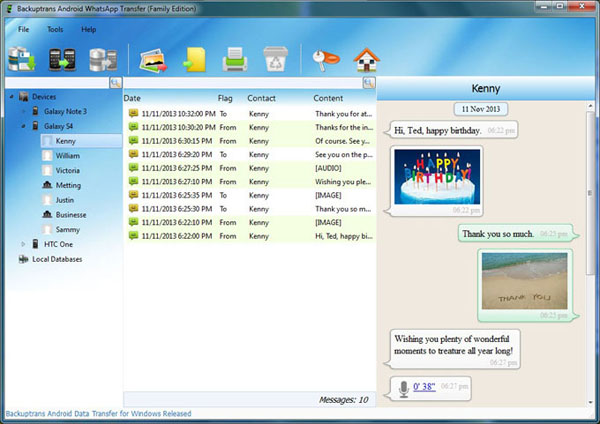


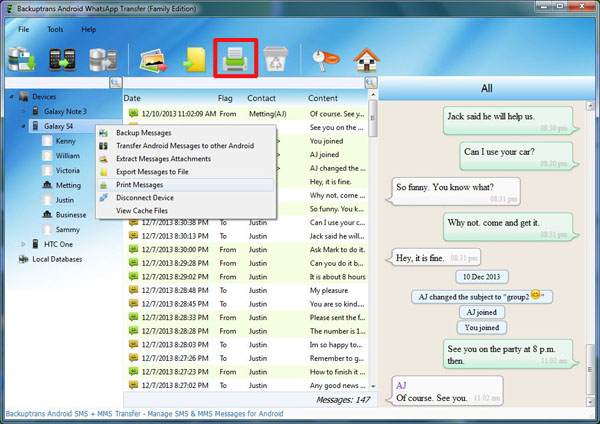
Step 4: Click the Android in Devices list you want to print WhatsApp Messages from. Then turn to top tool bar and press "Print Messages" button or go File -> Print Messages.


Step 5: Preview WhatsApp Chat Hisotry before printing. You will see the messages in conversations mode.
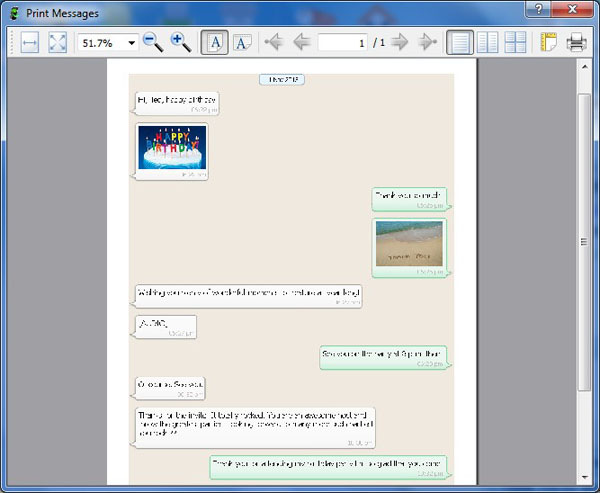


Step 6: Simply click the Print icon to print Messages out.

Done!  Free download Android WhatsApp Transfer on your computer to try now.

Related:
 How to Backup WhatsApp Messages from Android to Computer?
 How to Transfer WhatsApp Messages between Android Phones?
 How to Restore WhatsApp Chat History to Android from Computer?
 How to Transfer and Backup Data from Android to Computer in Clicks?
 How to Transfer WhatsApp Messages between Android and iPhone?


Thursday, January 9, 2014

One Click to Print WhatsApp Conversations from iPhone

Got lots of WhatsApp chat Messages on your iPhone and want to print out the WhatsApp Conversations from iPhone? Backuptrans iPhone WhatsApp Transfer provides an easy way to print WhatsApp conversations from iPhone directly on computer. You just need to connect your iPhone to computer with your USB cable and then click the "Print" button. You can even choose to print out all WhatsApp conversations or just print the messages with a certain contact. Printing iPhone WhatsApp Conversations on Mac is also supported with Backuptrans iPhone WhatsApp Transfer for Mac.


Simple guide shows you how to print iPhone WhatsApp Conversation Messages on computer step by step:

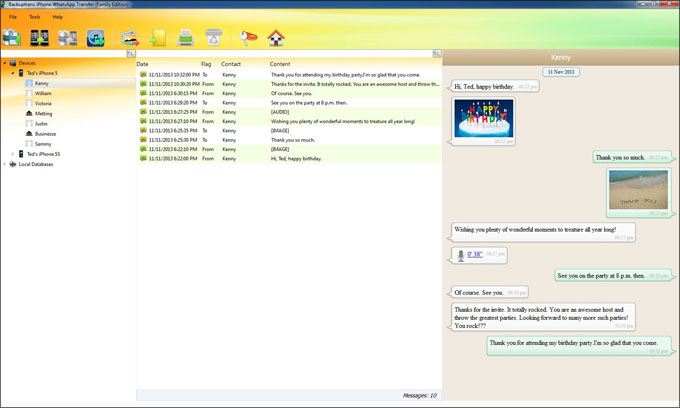
Step 1: Run Backuptrans iPhone WhatsApp Transfer and connect your iPhone to computer with USB cable. Then the software will automatically read all WhatsApp chat messages from your iPhone and show them in conversations on the main interface:


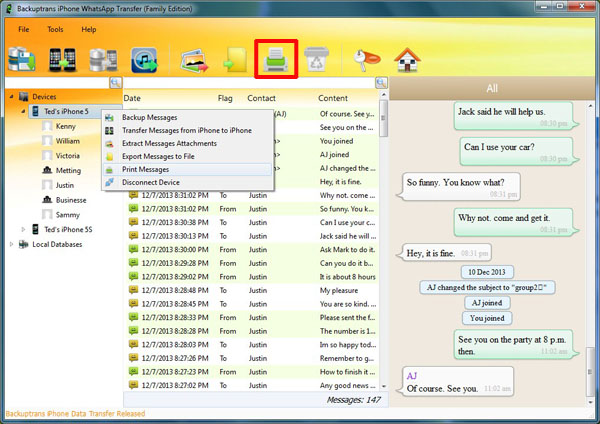
Step 2: Click the iPhone in Devices list you want to print WhatsApp chats from. Turn to top toolbar and press "Print Messages" button or go File -> Print Messages.


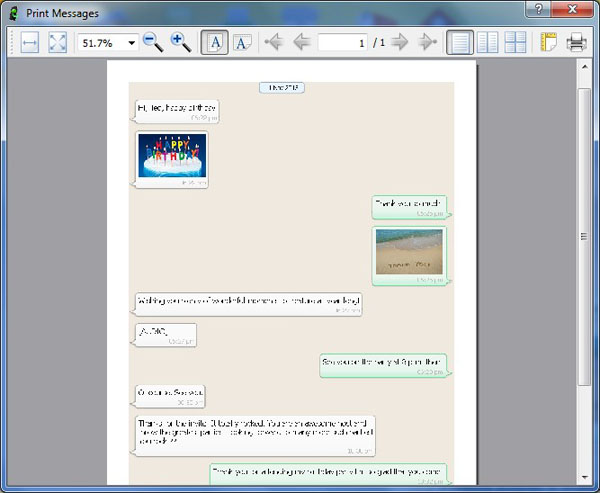
Step 3: Preview the conversation messages before printing.


Step 4: Simply click the Print icon to print Messages out.

Done!

Free download Backuptrans iPhone WhatsApp Transfer on your computer to try now.

For Mac, please download Backuptrans iPhone WhatsApp Transfer for Mac instead.

Related:
 How to Backup WhatsApp Chat History from iPhone to Computer?
 How to Restore WhatsApp Chat History to iPhone from Backup?
 How to Transfer WhatsApp Chat History Between iPhones Directly on PC?
 How to Extract and Recover WhatsApp Chat Messages from iPhone Backup?
 How to Transfer WhatsApp Chat History from iPhone to Mac?